
Workday Student Program Update
Meet the Team
Trey Frye, Functional Lead, Curriculum, Scheduling, and Registration
I’m the Functional Lead for Curriculum, Scheduling, and Registration (CM®), housed in the Office of the University Registrar, on the Elevate Program. I lead the design and implementation of Workday Student functionality for the course catalog, class scheduling, and registration processes: registration appointments, date controls, waitlisting, and course withdrawals. Before joining UMD, I was the Law School Registrar and served as a functional lead for Wake Forest University’s Project WakeDay: WFU’s implem entation of Workday Student. There, my workstream covered curriculum management and academic advising functions. When it comes to personal interests, I can be a bit of a polymath, as they range from science fiction and fantasy—especially Star Wars—to academic: ancient history, mythology, cults, and religion, modern political thought, and the philosophical and anthropological implications of technology and AI; as well as in the daily essentials: like brewing life-giving coffee each morning.
Our first Go Live at Milestone 1 will focus on Academic Foundation elements (e.g. academic calendars and programs of study) and Curriculum Management to support scheduling for Fall 2028. Why does this occur first?
Workday Student Go Lives follow the student life cycle from admissions through graduation, but they also build on one another. Milestone 1 puts the essential foundation in place: academic calendars, programs of study, course definitions, and scheduling structures. Academic calendars establish the terms used for course scheduling and support Financial Aid, Student Financials, and Student Records, while the course catalog provides the starting point for building class schedules. Those course sections then lead to student registrations, which support degree audits, transcripts, billing, and other areas of the system.
Course scheduling for Fall 2028 is one of the first major activities that will occur in Workday after Milestone 1. How has your team worked with campus partners to shape the scheduling experience in the new system?
The Curriculum Management team has worked closely with Course and Classroom Scheduling Services (CCSS) from the start of the program to make sure Workday’s design and configuration support the University’s existing scheduling responsibilities and processes. We also partnered with Extended Studies to address its needs for Winter and Summer scheduling, as well as specific programs such as Freshman Connection. More than 30 subject matter experts from colleges and departments participated in design sessions on course tags, reserved seats, and section editing; helped validate SIS data being converted into Workday; and confirmed prerequisite eligibility rules for their courses.
Students will register for Fall 2028 in Workday. What are some features of registration in Workday that you think will improve the student experience?
Workday’s Academic Planning feature will give students a simple, drag-and-drop way to map out completion of their programs, from academic requirements down to individual courses. Students can also register directly from that plan when a registration term opens. The Saved Schedule Builder lets students create one or more schedules in advance, view sections on a weekly calendar, identify time conflicts and other registration issues early, and check that their schedules align with their academic plans. Once registration opens, students can register for every course in a saved schedule in just two clicks.
New Learning Hub: Reserved Seating in Workday Student
How Reserved Seating Works
Workday Student offers Reserved Seating functionality that allows a portion of seats in a course section to be designated for specific student populations, such as declared majors, minors, or other student groups. Using Eligibility Rules, Workday determines which students are eligible for those reserved seats.
For example, imagine an Economics course with 30 available seats, including 20 reserved for Economics majors. Students majoring in Economics who meet the course requirements can register for available reserved seats, while students from other majors can register for the 10 seats available to all eligible students.
How Reserved Seats Become Available to More Students
Reserved seats can be configured with a release date, allowing any remaining seats to become available to other eligible students.
A single course section can also accommodate multiple student populations through separate reserved seat allocations, such as seats designated for majors and minors, each with its own eligibility requirements.
How Reserved Seating Supports Registration
Reserved Seating helps manage course availability for specific student populations while maintaining existing prerequisite and course eligibility requirements. Students must meet the requirements for the course and, when applicable, the eligibility criteria for the reserved seats.
New Future Ready: Program and Course Freeze Periods
As the University prepares to transition from SIS and uAchieve to Workday Student, a series of staggered freeze periods will begin in June 2027 and continue through March 2028. These are not continuous freezes. Instead, updates to SIS and uAchieve will be temporarily paused during designated periods to support Workday Student configuration, testing, and data conversion. Each freeze period will generally last two to three months, followed by a catch-up window when approved changes can be processed.
The Impact for Academic Units
The proposal review and approval process is not changing. Campus committees will continue reviewing proposals on their normal schedules, and CourseLeaf CIM will remain available. However, approved course and program changes may not be entered into SIS or uAchieve until the next catch-up window.
Academic units are encouraged to identify and submit course and program changes early, particularly those needed for Fall 2027, Winter 2028, and Spring 2028. An increase in proposal submissions is anticipated in Spring 2027, which may result in longer review timelines.
For additional details, including freeze period schedules, course proposal guidance, and planning considerations, visit the Office of the Senior Vice President and Provost's Changes Related to Workday Student webpage.
Learn More
Explore the Learning Hub: Reserved Seating and Future Ready: Program and Course Freeze Periods in 2027 and 2028 information on the Elevate website.
Let’s Continue the Conversation
Your questions and feedback help us create the communications, resources, training, and engagement activities that best prepare the UMD community for Workday Student.
Each month, we'll feature a new question or feedback opportunity in the Workday Wire. We hope you'll check back, share your thoughts, and help shape the transition.
Select the link below or scan the QR code to participate.
Tell us how we can support you
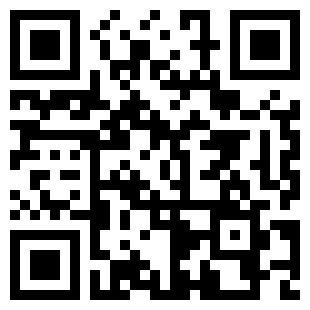
What will be most important in helping you feel prepared to use Workday Student?
Continue visiting the Elevate website for new learning resources, project updates, and planning guidance as UMD prepares for Workday Student.
Stay Connected…
For Workday HCM and Finance:
- Try the Workday Virtual Agent!
- Visit our website at erp.umd.edu!
- Having a problem in Workday? Open a case.
For Workday Student:
- Visit our website at elevate.umd.edu!
- Have a question about Workday Student? Email us at elevate@umd.edu.
Stay Connected
Have a question about Workday Student? Email us at elevate@umd.edu.
Looking for news about Workday Platform?
The Workday Wire newsletter is a joint effort between the Workday Platform and Workday Student teams. You can view the Workday Platform section of the newsletter by clicking the link below.